
Last Updated: 29 October 2026
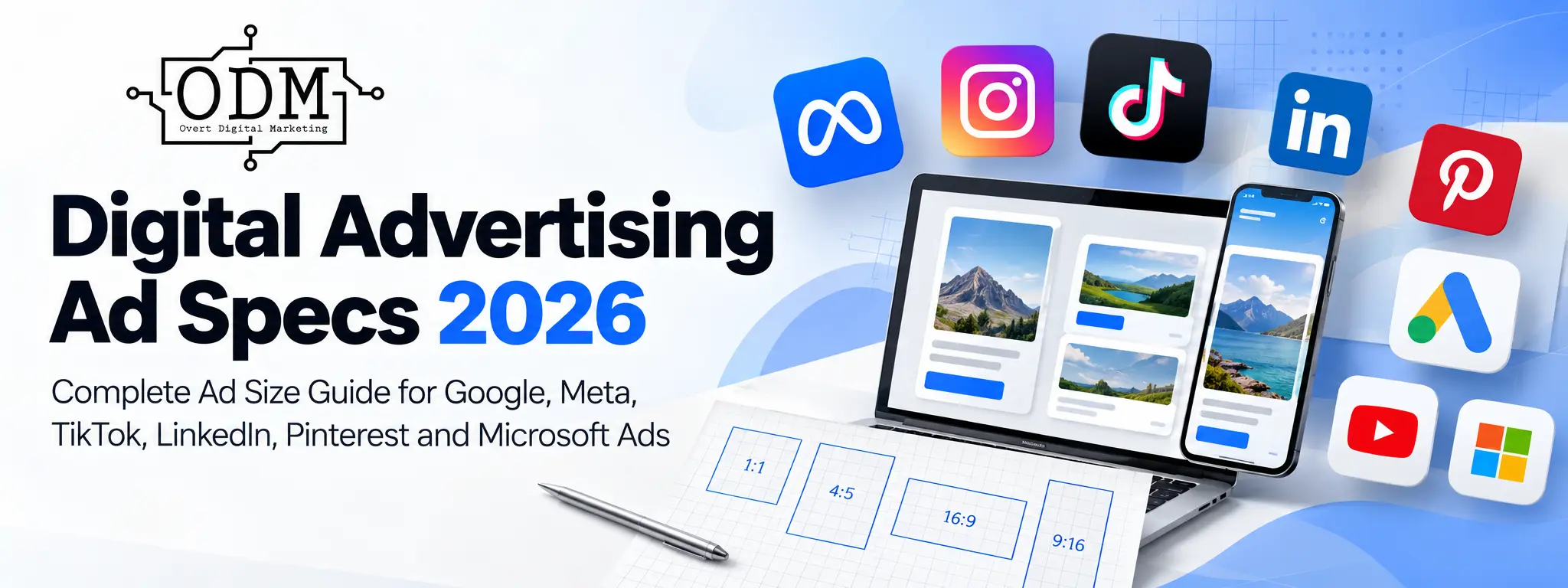
Digital advertising specifications change regularly. Platforms introduce new placements, retire older formats and change the image sizes, video ratios and text limits they recommend.
This guide brings together the current ad sizes and specifications for the digital advertising platforms commonly used by Australian businesses, including Google Ads, Facebook, Instagram, TikTok, LinkedIn, Pinterest and Microsoft Advertising.
If you are briefing a graphic designer or video producer, start with the Quick Ad Size Reference below. If you need specifications for a particular platform or campaign type, use the links to jump directly to that section.
Important: A platform’s minimum accepted size, recommended size and the size we would actually use for production are not always the same. This guide identifies the difference where it matters.
Jump to Ad Specs
Social Media Advertising
- Meta Ad Specs: Facebook & Instagram
- Facebook Ad Specs
- Instagram Ad Specs
- TikTok Ad Specs
- LinkedIn Ad Specs
- Pinterest Ad Specs
Search, Display & Video Advertising
- Google Ads Specs
- Google Responsive Search Ad Specs
- Google Performance Max Ad Specs
- Google Demand Gen Ad Specs
- Google Responsive Display Ad Specs
- YouTube Video Ad Specs
- Microsoft Advertising Ad Specs
Production Help
- What Ad Sizes Should You Give Your Designer?
- Can You Use the Same Creative Across Different Platforms?
- Digital Ad Specs FAQs
Quick Ad Size Reference
If you simply want to know which files to create, start here.
| Platform / Placement | Recommended Production Size | Aspect Ratio | Best Use |
|---|---|---|---|
| Meta Feed | 1440 × 1800 px | 4:5 | Facebook & Instagram Feed |
| Meta Stories & Reels | 1440 × 2560 px | 9:16 | Full-screen vertical |
| Meta Square | 1080 × 1080 px+ | 1:1 | Carousel and flexible placements |
| Google Performance Max | 1200 × 1200 px | 1:1 | Square |
| Google Performance Max | 1200 × 628 px | 1.91:1 | Landscape |
| Google Performance Max | 960 × 1200 px | 4:5 | Portrait |
| Google Demand Gen | 1080 × 1920 px | 9:16 | Shorts vertical |
| YouTube | 1920 × 1080 px | 16:9 | Landscape video |
| YouTube Shorts | 1080 × 1920 px | 9:16 | Vertical video |
| TikTok | 1080 × 1920 px* | 9:16 | Vertical video |
| LinkedIn Single Image | 1200 × 1200 px | 1:1 | Desktop + mobile |
| LinkedIn Single Image | 720 × 900 px | 4:5 | Mobile-first vertical |
| Pinterest Standard Pin | 1000 × 1500 px | 2:3 | Standard image |
| Microsoft Multimedia | 1200 × 1200 + 1200 × 628 px** | 1:1 + 1.91:1 | ODM production set |
*TikTok’s technical minimum for vertical Non-Spark In-Feed Ads is 540 × 960 px. ODM recommends 1080 × 1920 px as a practical high-quality production size.
**Microsoft’s minimums are lower. These are ODM production recommendations rather than Microsoft-mandated dimensions.
These are production recommendations, not a list of every size each platform can technically accept.
Meta Ad Specs: Facebook & Instagram
Meta advertising spans Facebook, Instagram and additional placements across the Meta ecosystem.
Instead of creating one square image and allowing Meta to adapt it everywhere, we recommend preparing creative around the major placement ratios.
| Creative | Recommended Size | Ratio | Primary Use |
|---|---|---|---|
| Vertical Feed | 1440 × 1800 px | 4:5 | Facebook & Instagram Feed |
| Full Vertical | 1440 × 2560 px | 9:16 | Stories & Reels |
| Square | 1080 × 1080 px or larger | 1:1 | Carousel and flexible placements |
Meta’s current Ads Guide uses higher-resolution 4:5 and 9:16 assets than the 1080-based dimensions commonly found in older ad-spec guides.
If your existing production workflow uses 1080 × 1350 px for 4:5 or 1080 × 1920 px for 9:16, those files retain the correct aspect ratios. However, the higher-resolution versions above are our preferred starting point for new creative.
Official specifications: Meta Ads Guide
Keep Important Content Away From Placement Overlays
Stories and Reels place interface elements, account information, captions and calls to action over the creative.
Keep important headlines, logos, disclaimers and other essential information away from the outer edges of vertical creative.
Meta can change interface overlays, so check the placement preview in Ads Manager before publishing rather than relying only on a fixed safe-zone template.
Facebook Ad Specs
Facebook Feed Image Ads
| Specification | Recommendation |
|---|---|
| ODM recommended size | 1440 × 1800 px |
| Aspect ratio | 4:5 |
| Alternative | 1:1 square |
| Common file types | JPG or PNG |
A 4:5 image occupies more vertical screen space on mobile than a square or landscape image, making it our preferred starting format for Facebook Feed creative.
Facebook Reels Ads
| Specification | Recommendation |
|---|---|
| ODM recommended size | 1440 × 2560 px |
| Aspect ratio | 9:16 |
| Orientation | Full-screen vertical |
| Common video formats | MP4 or MOV |
| Sound | Recommended where appropriate |
Do not simply stretch or crop a landscape video into 9:16. Reposition headlines, logos and the main subject for the vertical frame.
Facebook Stories Ads
| Specification | Recommendation |
|---|---|
| ODM recommended size | 1440 × 2560 px |
| Aspect ratio | 9:16 |
| Format | Image or video |
| Orientation | Full-screen vertical |
Stories are designed around the vertical mobile screen. Landscape Feed creative generally wastes space or requires significant cropping.
Facebook Carousel Ads
Carousel ads can be useful when showing multiple products, services, benefits or stages of a message.
ODM recommended size: 1080 × 1080 px or higher
Aspect ratio: 1:1
Keep the visual treatment consistent across cards so the carousel feels like one advertisement rather than a collection of unrelated images.
What Facebook Ad Sizes Should You Create?
For most Facebook campaigns, start with:
- 1440 × 1800 px, 4:5 for Feed
- 1440 × 2560 px, 9:16 for Stories and Reels
- 1080 × 1080 px or larger, 1:1 where square creative is required
This gives Meta more placement-appropriate creative than uploading one landscape image and relying on automated cropping.
Instagram Ad Specs
Instagram advertising is heavily oriented towards mobile-first Feed, Stories and Reels placements.
Instagram Feed Image Ads
| Specification | Recommendation |
|---|---|
| ODM recommended size | 1440 × 1800 px |
| Aspect ratio | 4:5 |
| Alternative | 1:1 |
| Common file types | JPG or PNG |
A vertical 4:5 image generally makes better use of mobile Feed space than landscape creative.
Instagram Stories Ads
| Specification | Recommendation |
|---|---|
| ODM recommended size | 1440 × 2560 px |
| Aspect ratio | 9:16 |
| Format | Image or video |
| Orientation | Full-screen vertical |
Always preview the advertisement before publishing to make sure Instagram’s interface does not cover important text or branding.
Instagram Reels Ads
| Specification | Recommendation |
|---|---|
| ODM recommended size | 1440 × 2560 px |
| Aspect ratio | 9:16 |
| Orientation | Full-screen vertical |
| Common video formats | MP4 or MOV |
| Sound | Recommended where appropriate |
Technical upload limits should not be confused with recommended advertising length. Even where Meta accepts long-form video, a performance ad still needs to earn attention quickly.
Instagram Carousel Ads
For a simple, reusable carousel production format, 1080 × 1080 px at 1:1 remains a practical option.
If vertical creative is being used, check the current Meta Ads Guide and placement preview because available presentation can vary according to the ad setup.
What Happened to IGTV Ads?
IGTV should no longer appear in a current advertising-specification guide.
Instagram retired IGTV as a standalone product and consolidated video into its wider video and Reels experience.
For current advertising production, concentrate on Feed, Stories, Reels and Carousel placements.
TikTok Ad Specs
TikTok creative should generally be produced vertically and designed for a mobile-first environment.
One important distinction is between Non-Spark Ads, which use advertising creative uploaded through TikTok Ads Manager, and Spark Ads, which use TikTok posts.
Official specifications: TikTok Auction In-Feed Ad Specifications
TikTok Non-Spark In-Feed Ads
| Specification | TikTok Requirement / ODM Recommendation |
|---|---|
| Recommended orientation | Vertical |
| Vertical ratio | 9:16 |
| TikTok vertical minimum | 540 × 960 px |
| ODM recommended export | 1080 × 1920 px |
| Horizontal ratio | 16:9 |
| Horizontal minimum | 960 × 540 px |
| Square ratio | 1:1 |
| Square minimum | 640 × 640 px |
| File types | MP4, MOV, MPEG, 3GP, AVI |
| Maximum duration | 10 minutes |
| Maximum file size | 500 MB |
| Minimum bitrate | 516 kbps |
TikTok allows considerably longer Non-Spark videos than the old 60-second maximum still shown in many outdated ad-size guides.
That does not mean a 10-minute advertisement is generally advisable. It is the technical maximum, not a creative recommendation.
TikTok Spark Ads
Spark Ads allow advertisers to promote organic TikTok posts from their own account or authorised creator accounts.
TikTok’s current documentation is not completely consistent on Spark Ad duration. Its Auction In-Feed specifications state that Spark Ads Pull have no video-duration restriction, while its broader Spark Ads documentation also states that there is a 10-minute maximum on videos that can be sparked.
Because both statements currently appear in TikTok’s official documentation, advertisers using long-form Spark creative should confirm eligibility in TikTok Ads Manager before production.
Official information:
TikTok TopView Ads
TopView is a premium TikTok placement and is not necessarily available in the same way to every advertiser.
| Specification | TikTok Specification |
|---|---|
| Aspect ratio | 9:16 |
| Minimum size | 540 × 960 px |
| File types | MP4, MOV, MPEG, 3GP |
| Duration | 5–60 seconds |
| Recommended duration | 9–15 seconds |
| Maximum file size | 500 MB |
| Minimum bitrate | 2,500 kbps |
TopView also has placement-specific safe zones, so use TikTok’s current templates when producing creative for this format.
Official specifications: TikTok TopView Ad Specifications
LinkedIn Ad Specs
LinkedIn is particularly relevant for B2B advertising and supports formats including single image, video, carousel and document ads.
Official specifications: LinkedIn Sponsored Content Specifications
LinkedIn Single Image Ads
| Format | LinkedIn Recommended Size | Ratio |
|---|---|---|
| Landscape | 1200 × 628 px | 1.91:1 |
| Square | 1200 × 1200 px | 1:1 |
| Vertical | 720 × 900 px | 4:5 |
Additional specifications:
- JPG, PNG or GIF
- Maximum file size: 5 MB
- Introductory text: 150 characters or fewer recommended to avoid truncation
- Headline: 70 characters or fewer recommended to avoid truncation
- Description: 100 characters or fewer recommended to avoid truncation
LinkedIn recommends vertical ratios for single-image ads, but paid vertical assets only serve on mobile devices. Square creative can therefore be useful when you want one format with broader placement flexibility.
Official specifications: LinkedIn Single Image Ad Specifications
LinkedIn Video Ads
| Ratio | LinkedIn Recommended Size | Allowed Range |
|---|---|---|
| Landscape 16:9 | 1920 × 1080 or 1200 × 675 | 640 × 360 to 1920 × 1080 |
| Square 1:1 | No single recommended resolution | 360 × 360 to 1920 × 1920 |
| Vertical 4:5 | 720 × 900 | 360 × 450 to 1080 × 1350 |
| Vertical 9:16 | 720 × 1280 | 360 × 640 to 1080 × 1920 |
Additional requirements:
- MP4
- 75 KB to 500 MB
- 3 seconds to 30 minutes
- LinkedIn recommends approximately 15–30 seconds to qualify for the widest range of placements
- Optional SRT captions
Again, a 30-minute technical maximum does not mean 30 minutes is an appropriate performance-ad length.
Official specifications: LinkedIn Video Ad Specifications
LinkedIn Carousel Ads
| Specification | LinkedIn Specification |
|---|---|
| Recommended card size | 1080 × 1080 px |
| Aspect ratio | 1:1 |
| Number of cards | 2–10 |
| Maximum file size | 10 MB per card |
| Formats | JPG, PNG or non-animated GIF |
Official specifications: LinkedIn Carousel Ad Specifications
LinkedIn Document Ads
Document Ads are useful for B2B content such as reports, guides, case studies and white papers.
Supported files include:
- DOC / DOCX
- PPT / PPTX
Maximum file size is 100 MB, with a technical maximum of 300 pages.
A 300-page document may be technically accepted, but that does not make it a practical advertising asset.
Official specifications: LinkedIn Document Ad Specifications
Pinterest Ad Specs
Pinterest is a highly visual platform, so vertical creative generally makes better use of its Feed than landscape advertising.
Official specifications: Pinterest Ad Specifications
Pinterest Standard Image Ads
| Specification | Pinterest Specification |
|---|---|
| Recommended size | 1000 × 1500 px |
| Recommended ratio | 2:3 |
| File type | PNG or JPEG |
| Maximum file size | 20 MB desktop / 32 MB in-app |
| Title | Up to 100 characters |
| Description | Up to 800 characters |
Pinterest notes that the first 40 title characters may be what users see depending on their device.
Descriptions do not normally appear in the Home or Search feed, but Pinterest uses them to determine relevance for delivery. They are therefore still worth completing properly.
Pinterest Video Ads
| Specification | Pinterest Requirement / Recommendation |
|---|---|
| File type | MP4, MOV or M4V |
| Encoding | H.264 or H.265 |
| Maximum file size | 2 GB |
| Technical duration | 4 seconds–15 minutes |
| Recommended ad duration | 6–15 seconds |
| Recommended ratios | 1:1, 2:3, 4:5 or 9:16 |
Pinterest Carousel Ads
| Specification | Pinterest Specification |
|---|---|
| Cards | 2–5 |
| Aspect ratio | 1:1 or 2:3 |
| File type | PNG or JPEG |
| Maximum file size | 20 MB per image |
Catalogue-based advertising can use different structures, so check Pinterest’s current specifications when building product-feed campaigns.
Pinterest Collections Ads
Collections combine a primary hero asset with secondary product creative.
Pinterest’s current specifications vary according to the specific Collections format, including standard and Max Width Collections. Check the official specification page before producing a large Collections campaign rather than assuming that one set of image dimensions applies to every variation.
Pinterest also supports formats including Showcase Ads, Quiz Ads and Idea Ads.
Because these have more specialised structures and safe zones, use Pinterest’s current product specifications when producing them.
Google Ads Specs
Google Ads uses assets across a much wider range of campaign types and placements than traditional Search advertising.
The most relevant specifications for many advertisers are:
- Responsive Search Ads
- Performance Max
- Demand Gen
- Responsive Display
- YouTube / Video
Official overview: Google Ads Specifications
Google Responsive Search Ad Specs
Responsive Search Ads allow Google to combine different headlines and descriptions according to the search and user context.
| Asset | Google Limit |
|---|---|
| Headlines | Up to 15 |
| Headline length | 30 characters each |
| Descriptions | Up to 4 |
| Description length | 90 characters each |
| Display paths | 2 |
| Path length | 15 characters each |
Google requires at least three headlines and two descriptions to create a Responsive Search Ad.
Providing additional unique assets gives Google more combinations to test. Repeating essentially the same headline 15 times does not provide the same benefit.
An important distinction is that advertisers can supply up to 15 headlines, even though only a subset is displayed in an individual ad.
Official specifications: Google Responsive Search Ads
Google Performance Max Ad Specs
Performance Max can serve across Google’s advertising inventory, so supplying a strong range of correctly sized assets is important.
Performance Max Image Sizes
| Asset | Google Recommended Size | Minimum | Ratio | Recommended Quantity |
|---|---|---|---|---|
| Landscape | 1200 × 628 | 600 × 314 | 1.91:1 | 4+ |
| Square | 1200 × 1200 | 300 × 300 | 1:1 | 4+ |
| Portrait | 960 × 1200 | 480 × 600 | 4:5 | 2+ |
| Square logo | 1200 × 1200 | 128 × 128 | 1:1 | 1 |
| Landscape logo | 1200 × 300 | 512 × 128 | 4:1 | 1 |
Google allows up to 20 image assets and up to five logos. Maximum image file size is 5 MB.
Do not rely only on the minimum number of assets if you have strong creative available. Multiple high-quality variations give Performance Max more appropriate options across its different inventory.
Official specifications: Google Performance Max Specifications
Performance Max Text Assets
| Asset | Limit | Google Recommendation |
|---|---|---|
| Headlines | Up to 15 × 30 characters | 11+ |
| Long headlines | Up to 5 × 90 characters | 2+ |
| Descriptions | Up to 5 × 90 characters | 4+ |
| Business name | 25 characters | 1 |
| Display paths | 2 × 15 characters | Optional |
Google also recommends including at least one short headline of 15 characters or fewer.
Performance Max Video Assets
| Format | ODM Recommended Resolution | Ratio |
|---|---|---|
| Landscape | 1920 × 1080 | 16:9 |
| Square | 1080 × 1080 | 1:1 |
| Vertical | 1080 × 1920 | 9:16 |
Google’s Performance Max guidance supports horizontal, square and vertical video and recommends useful video coverage rather than relying on one orientation.
Google may also automatically generate video assets when an advertiser does not provide suitable video. Supplying your own assets gives you greater control over branding, message and creative quality.
Google Demand Gen Ad Specs
Demand Gen can use visual creative across eligible Google inventory including YouTube, Discover and Gmail.
Demand Gen Image Sizes
| Format | Google Recommended Size | Minimum | Ratio |
|---|---|---|---|
| Landscape | 1200 × 628 | 600 × 314 | 1.91:1 |
| Square | 1200 × 1200 | 300 × 300 | 1:1 |
| Portrait | 960 × 1200 | 480 × 600 | 4:5 |
| Vertical / Shorts | 1080 × 1920 | 600 × 1067 | 9:16 |
Demand Gen Text Assets
| Asset | Limit |
|---|---|
| Headlines | 1–5, up to 40 characters |
| Descriptions | 1–5, up to 90 characters |
| Business name | Up to 25 characters |
Google recommends supplying multiple text variations rather than relying on the minimum.
Official specifications: Google Demand Gen Specifications
Google Responsive Display Ad Specs
Responsive Display Ads automatically adapt their layout to available Display Network placements.
Responsive Display Image Assets
Google currently has some inconsistency between its own Help Centre pages regarding the recommended square resolution.
Its dedicated Responsive Display specification page lists:
| Asset | Google Specification |
|---|---|
| Landscape | 1200 × 628 recommended, 600 × 314 minimum |
| Square | 600 × 600 recommended, 300 × 300 minimum |
| Square logo | 1200 × 1200 recommended, 128 × 128 minimum |
| Landscape logo | 1200 × 300 recommended, 512 × 128 minimum |
However, Google’s separate Responsive Display creation and best-practice pages recommend 1200 × 1200 px for square images.
For practical production, ODM recommends:
- Landscape: 1200 × 628 px
- Square: 1200 × 1200 px
Both meet Google’s requirements while providing a high-resolution square source asset.
Google allows up to 15 images in Responsive Display Ads.
Official specifications:
Common Uploaded Display Banner Sizes
If you are producing fixed-size uploaded display ads rather than responsive assets, common dimensions include:
- 300 × 250
- 336 × 280
- 728 × 90
- 970 × 90
- 468 × 60
- 300 × 600
- 160 × 600
- 320 × 50
Responsive Display Ads remain Google’s default Display format because they can adapt to more available inventory.
Official information: Google Common Display Ad Sizes
YouTube Video Ad Specs
Google supports several YouTube advertising formats, including skippable in-stream, non-skippable in-stream, in-feed video, bumper and Shorts ads.
Recommended YouTube Video Sizes
| Orientation | ODM Recommended Resolution | Ratio |
|---|---|---|
| Landscape | 1920 × 1080 | 16:9 |
| Vertical | 1080 × 1920 | 9:16 |
| Square | 1080 × 1080 | 1:1 |
YouTube Video Lengths
Skippable in-stream ads: Google does not impose a technical maximum through its video-ad policy, although it says videos under three minutes typically perform better.
Auction non-skippable in-stream ads: Maximum 30 seconds.
Reservation non-skippable in-stream ads: Maximum 60 seconds.
Bumper ads: Maximum 6 seconds.
For YouTube Shorts, produce vertical 9:16 creative and design the message for short-form, mobile viewing rather than simply repurposing a landscape television-style advertisement.
Official information:
Microsoft Advertising Ad Specs
Microsoft Advertising, previously widely known as Bing Ads, supports Search, Audience, Multimedia and Performance Max advertising.
Microsoft Responsive Search Ads
| Asset | Microsoft Limit |
|---|---|
| Headlines | Up to 15 |
| Headline length | 30 characters |
| Descriptions | Up to 4 |
| Description length | 90 characters |
Microsoft automatically combines eligible headlines and descriptions to create Responsive Search Ads.
Official specifications: Microsoft Responsive Search Ads
Microsoft Multimedia Ad Images
Microsoft’s current technical minimums are:
| Ratio | Microsoft Minimum |
|---|---|
| Landscape 1.91:1 | 703 × 368 px |
| Wide 4:1 | 608 × 152 px |
| Square 1:1 | 470 × 470 px |
| Vertical 1:2 | 470 × 940 px |
Multimedia Ads require at least:
- one 1.91:1 image
- one 1:1 image
Maximum image file size is 5 MB.
For production, ODM would generally export larger source assets where possible rather than designing to Microsoft’s minimum dimensions.
A practical starting set is:
- 1200 × 628 px at 1.91:1
- 1200 × 1200 px at 1:1
These are ODM production recommendations, not Microsoft’s required dimensions.
Official specifications: Microsoft Responsive Ad Image Specifications
Microsoft Audience Ads
Microsoft Audience Ads can appear across eligible Microsoft properties and partner inventory.
Because Microsoft can use different image crops according to placement, advertisers should provide strong source imagery with enough clear space around the subject to accommodate cropping.
For a high-resolution 1.91:1 source asset, ODM generally uses 1200 × 628 px, but this should be treated as a production recommendation rather than a Microsoft-mandated dimension.
Check previews before publishing, particularly when text is embedded in the image.
Microsoft Performance Max
Microsoft also offers Performance Max campaigns across eligible Microsoft advertising inventory.
Advertisers importing Performance Max campaigns from Google Ads should still review:
- creative assets
- audience signals
- conversion goals
- tracking
- final URLs
- budgets
- campaign settings
after import rather than assuming the two platforms operate identically.
Official information: Microsoft Performance Max
What Ad Sizes Should You Give Your Designer?
Sending a designer every technically possible advertising dimension quickly becomes unmanageable.
For many businesses advertising across several platforms, we recommend starting with a core creative set.
Core Image Sizes
1440 × 1800 px, 4:5
Facebook and Instagram Feed.
1440 × 2560 px, 9:16
Facebook and Instagram Stories and Reels.
1200 × 1200 px, 1:1
Google Performance Max, LinkedIn and other square placements.
1200 × 628 px, 1.91:1
Google, Microsoft, LinkedIn and landscape placements.
960 × 1200 px, 4:5
Google Performance Max portrait.
1000 × 1500 px, 2:3
Pinterest Standard Pin.
Core Video Sizes
1920 × 1080 px, 16:9
YouTube and landscape video placements.
1080 × 1920 px, 9:16
TikTok, YouTube Shorts and a practical vertical production format.
For Meta-specific vertical video, a 1440 × 2560 px export aligns with its current higher-resolution 9:16 recommendation where your production workflow supports it.
1080 × 1080 px, 1:1
Square video where additional placement flexibility is useful.
This does not mean every campaign needs every format.
The required production set should be determined by the platforms and placements actually being used.
Can You Use the Same Creative Across Google, Meta, TikTok and LinkedIn?
You can reuse the creative concept, but you should not assume the exact same file is ideal everywhere.
A 9:16 video can technically work across several platforms, but TikTok, Instagram Reels and YouTube Shorts have different interfaces and user behaviours.
The audience context is also different.
Someone scrolling TikTok may respond to a different opening hook than someone watching YouTube. A LinkedIn user may need more business context than an Instagram user. A Performance Max image may be automatically cropped and combined with different Google text assets.
A better process is:
- Develop a strong core creative concept.
- Resize it for the required aspect ratios.
- Reposition important text, branding and subjects for each format.
- Check platform-specific safe areas.
- Preview each placement before publishing.
- Adapt the copy and opening message where the audience context changes.
- Test multiple creative variations.
Correct dimensions prevent avoidable display problems. They do not automatically make an advertisement effective.
Why Correct Ad Specs Are Only the Starting Point
An advertisement can meet every technical specification in this guide and still perform poorly.
Performance also depends on the offer, message, audience, campaign structure, landing page, conversion tracking and what happens after someone clicks.
At Overt Digital Marketing, we manage advertising across search and social platforms with a focus on the commercial result rather than simply whether an advertisement receives impressions or clicks.
Our Google Ads management services cover Search, Performance Max, Display and video advertising, while our social media advertising services cover platforms including Facebook, Instagram, TikTok, LinkedIn and Pinterest.
Creative specifications are one part of the process. Campaign targeting, tracking, landing pages and ongoing optimisation determine whether that creative ultimately generates meaningful enquiries or sales.
Digital Advertising Ad Specs FAQs
What is the best general size for a digital ad?
There is no single ad size that is ideal across every platform.
Square 1:1 creative remains highly versatile, but mobile-first placements increasingly favour vertical formats. For multi-platform campaigns, consider preparing square, vertical Feed, full-screen vertical and landscape versions.
What size should Facebook and Instagram ads be in 2026?
For new Facebook and Instagram Feed creative, ODM recommends 1440 × 1800 px at 4:5. For Stories and Reels, use 1440 × 2560 px at 9:16.
Existing 1080 × 1350 and 1080 × 1920 assets use the same respective aspect ratios and remain practical formats, but the higher-resolution versions are preferable when producing new assets.
Is 1080 × 1080 still a good ad size?
Yes. A 1080 × 1080 square remains useful across many advertising platforms, particularly for carousels and square placements.
However, it should not be treated as the only size required for Meta campaigns. Vertical 4:5 and 9:16 creative generally makes better use of mobile screens.
What image sizes do I need for Google Performance Max?
The main Performance Max image sizes are:
- 1200 × 628 px landscape
- 1200 × 1200 px square
- 960 × 1200 px portrait
Google recommends supplying multiple images rather than only the minimum required assets.
How many headlines can a Google Responsive Search Ad have?
A Google Responsive Search Ad can contain up to 15 headlines, with each headline limited to 30 characters.
You can also provide up to four descriptions of 90 characters each.
What size should TikTok ads be?
TikTok recommends vertical 9:16 creative for Non-Spark In-Feed Ads, with a technical minimum of 540 × 960 px.
For practical production, ODM recommends 1080 × 1920 px for high-quality vertical video.
What size should LinkedIn image ads be?
LinkedIn recommends:
- 1200 × 1200 px for square
- 1200 × 628 px for landscape
- 720 × 900 px for 4:5 vertical
LinkedIn notes that paid vertical single-image assets serve on mobile devices.
What size should LinkedIn vertical video ads be?
For 4:5 video, LinkedIn recommends 720 × 900 px.
For 9:16 video, LinkedIn recommends 720 × 1280 px, while accepting resolutions up to 1080 × 1920 px.
What size should Pinterest ads be?
Pinterest recommends 1000 × 1500 px at a 2:3 aspect ratio for Standard Image Ads.
Pinterest warns that Pins taller than 2:3 may be cut off in the Feed.
What image sizes do Microsoft Multimedia Ads need?
Microsoft requires at least one 1.91:1 image and one 1:1 image for Multimedia Ads.
Its minimums are 703 × 368 px for 1.91:1 and 470 × 470 px for 1:1.
For higher-quality production, ODM recommends starting with 1200 × 628 px and 1200 × 1200 px source assets.
Should I create separate ad sizes for every placement?
Not necessarily.
A core set of well-designed aspect ratios can cover many placements, but the creative should still be adapted where necessary.
At minimum, consider whether the campaign requires:
- square
- vertical Feed
- full-screen vertical
- landscape
rather than creating only one universal asset.
Why do ad specifications keep changing?
Advertising platforms regularly introduce new placements, campaign types, devices and automated creative systems.
Specifications change as platforms adjust how advertisements are rendered across those environments. This is why older ad-size guides can become inaccurate relatively quickly.
How often should digital ad specifications be checked?
Check the relevant platform’s current specifications before major creative production, particularly for video, specialist placements or large campaigns.
This guide is updated periodically, but Google, Meta, TikTok, LinkedIn, Pinterest and Microsoft can change individual requirements at any time.
Specifications last reviewed: 29 October 2026.
Advertising platforms can update formats and requirements without notice. For unusual placements or major creative production, check the relevant official platform specification linked throughout this guide before final export.